

Invite members
Invite and manage new organization members.
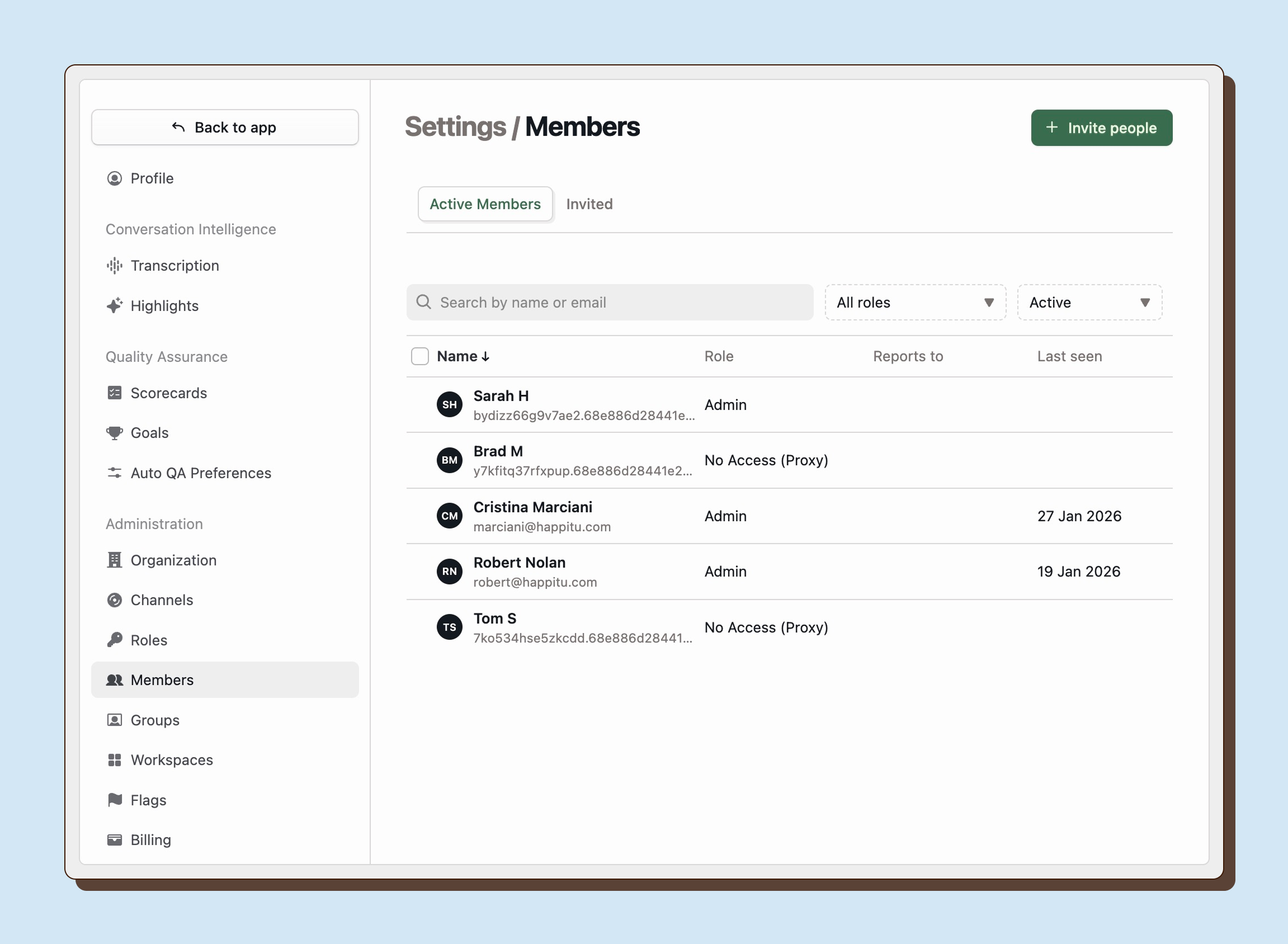
Inviting a teammate
Section titled “Inviting a teammate”To send invitations:
- Go to Settings > Members.
- Click the Invite people button.
- Enter each invitee’s email address. To add multiple invitees, separate each email with a comma.
- Under Invite as, select the role each invitee should receive.
- Click Send Invites. New members will receive an invite link via email. Pending invitations will appear in the Invited tab.
If invitation emails are delayed or blocked, we recommend adding no-reply@happitu.com as a trusted sender with your email provider. As a fallback, you can use sharing invite links.
Approved email domains
Section titled “Approved email domains”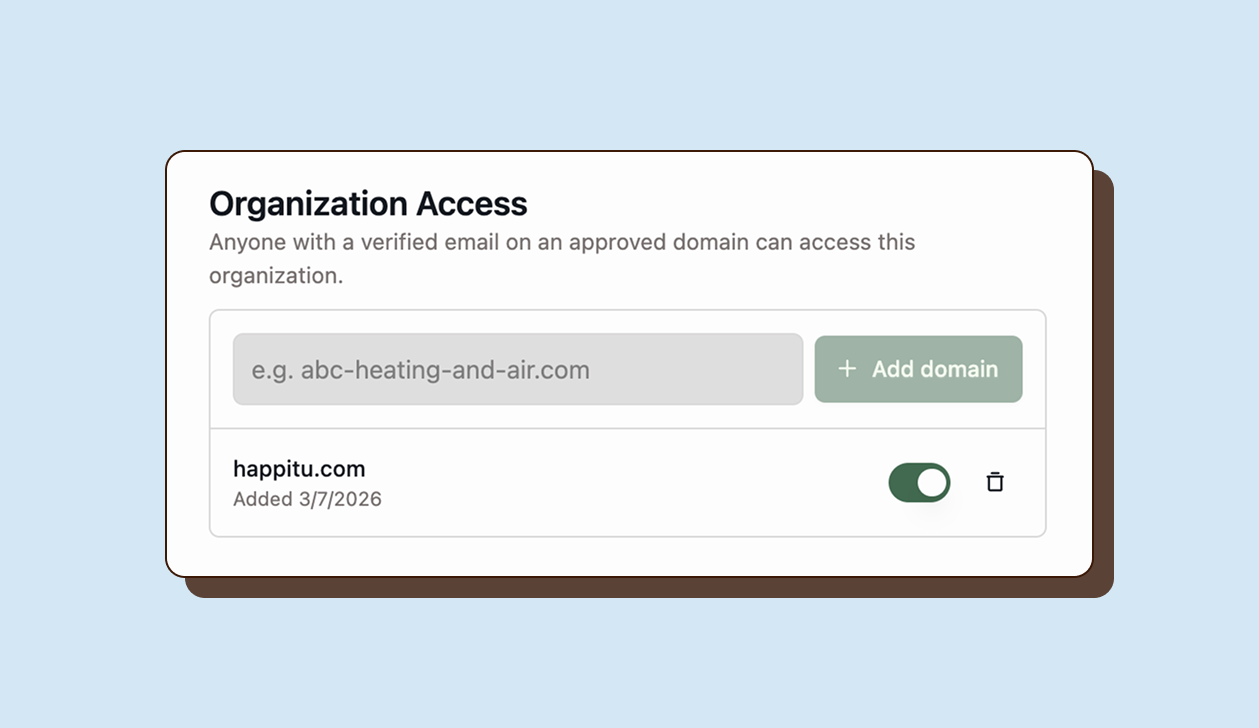
To streamline the invite process, Admins can manage allowed email domains from Settings > Organization. Anyone with the matching email domain can join the organization without an invitation or approval.
Teammates who are creating new accounts using this workflow will need to verify their email address and will be prompted to complete their profile after joining the organization. By default, members who join using this method will be assigned the Representative role, giving them restricted access initially. You may update their role after they have joined.
Use approved domains to reduce manual invite overhead during onboarding.
Review approved domains regularly. If you lose control of your domain, you’ll need to remove this domain from your approved email domains in Happitu to prevent unwanted access.
Sharing invite links
Section titled “Sharing invite links”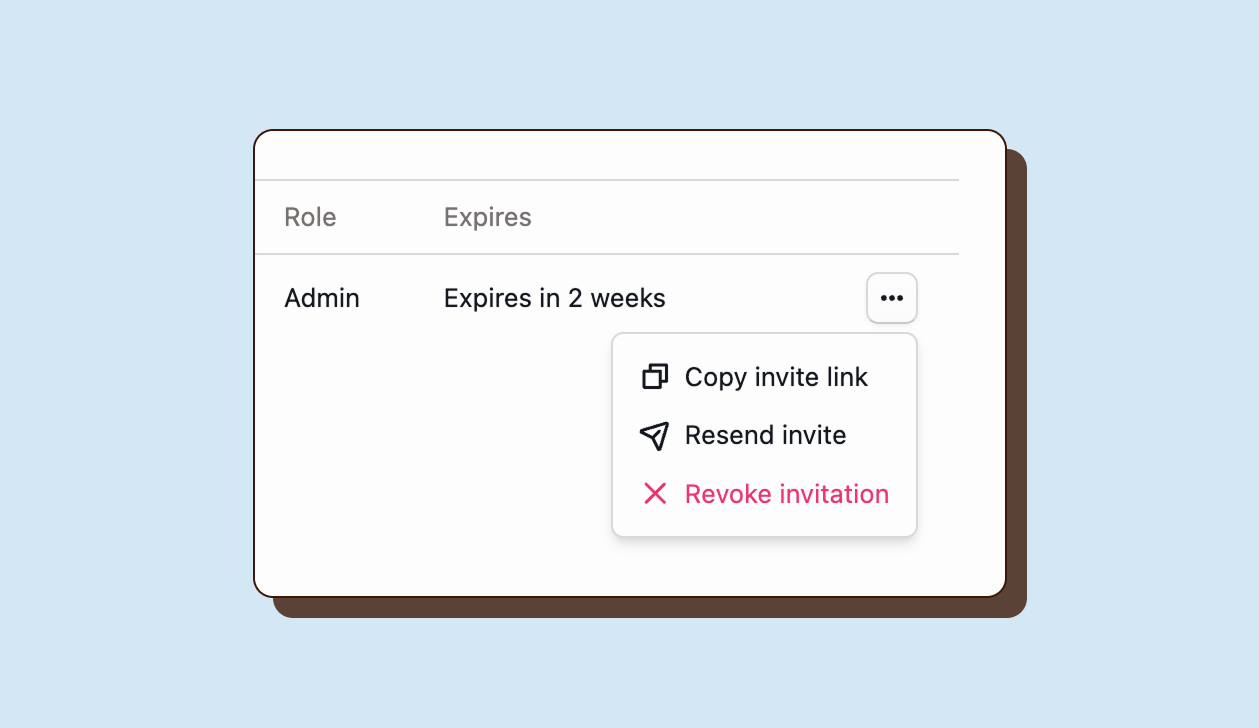
From Settings > Members > Invited, Admins can copy and share links so teammates can join without needing to receive an invite email.
Can I invite multiple people at once?
Yes. Enter multiple email addresses separated by commas.Can I resend an invitation without creating a new user?
Yes. Use the action menu in the Invited tab and choose **Resend**.Can I revoke an invite before it is accepted?
Yes. Use the action menu in the Invited tab and revoke the invite.Can users join without a manual invite?
Yes, if their verified email matches an approved active domain in **Settings > Organization**.